Multi-view: up to 4 channels of your playlist at once
Two matches at the same time, the news while a film plays, every group of a tournament: multi-view puts 2, 3 or 4 live channels of your own playlist on one screen.
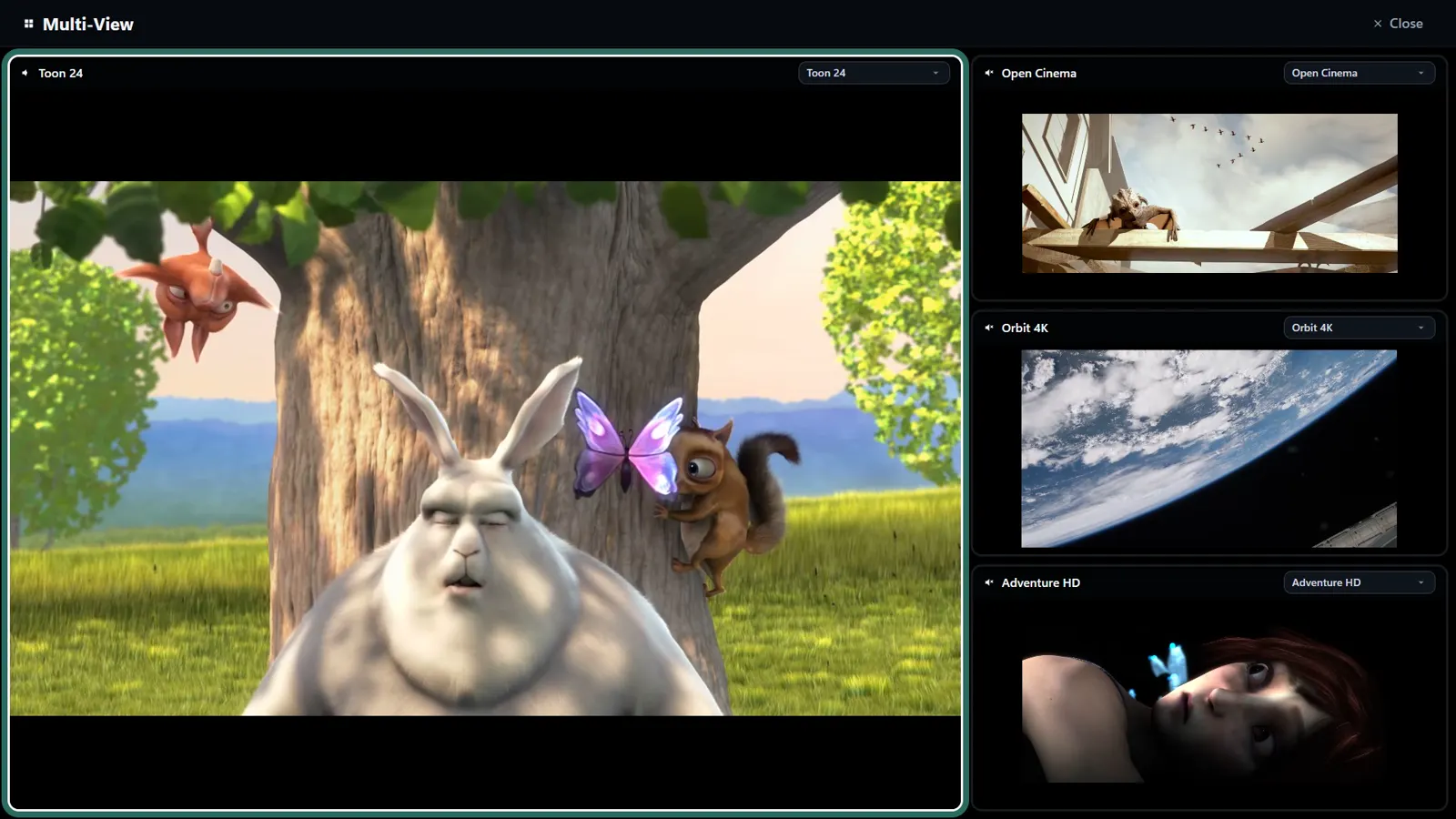
How to start it
- Open Live TV and press Multi-view, at the top.
- Choose from 2 to 4 channels.
- Press Start multi-view: the first one is shown large and the others next to it.
Sound and channels
- Only the highlighted channel has sound, so there is no noise from four at once; move the highlight to hear another.
- Each tile has its own channel selector, to swap one without starting again.
- Close returns you to the channel list.
Before you use it
- Each channel is a separate connection to your provider: four channels need an account that allows four connections at once. Many basic accounts allow only one or two.
- It also needs the bandwidth of every channel added together; with several channels in HD, a wired connection helps.
- Multi-view is part of Premium, and it works with live channels.
What people use it for
- Several matches of the same round at once, with the sound on the one that matters.
- The news or a live event in a corner while something else plays large.
- Keeping an eye on two channels during an election night, a race or a tournament draw.
When one tile stays black or stutters
- One tile black while the others play: your provider has refused one more connection. Check how many connections your account allows at once and close any other device that is watching.
- All tiles stutter: the combined bandwidth is too much for your network. Try three channels instead of four, or a cable instead of Wi-Fi.
- Only one channel stutters: that stream is the problem at your provider; swap it for another from its tile.
Multi-view or picture-in-picture?
Picture-in-picture (in the Windows app) keeps one channel in a small window while you use other apps. Multi-view fills the screen with 2 to 4 live channels inside OndalyTV, each with its own channel selector.
Price
Live TV is free, with no account. Premium unlocks the rest: the yearly plan (7.99 € a year + VAT, first 7 days free) or a lifetime licence (24.99 € once + VAT), on 5 devices with 2 watching at once.
Download OndalyTV
Free player. No channels or content included.