IPTV in VLC: what you are missing
VLC can open an M3U playlist and play its channels, and for checking that a link works it is perfect. But VLC is a general media player: it does not know what is on each channel, it cannot sign in to an Xtream Codes account, and a playlist of thousands of entries becomes one very long list.
What VLC does well
- It plays almost any format, and it is free and open source.
- It is a quick way to check that an M3U address from your provider opens at all.
- For your own video files on disk it is still an excellent choice.
- On Android, OndalyTV includes VLC’s own engine as one of its players (Settings › Playback), so what plays in VLC plays here too.
What you miss with an IPTV playlist
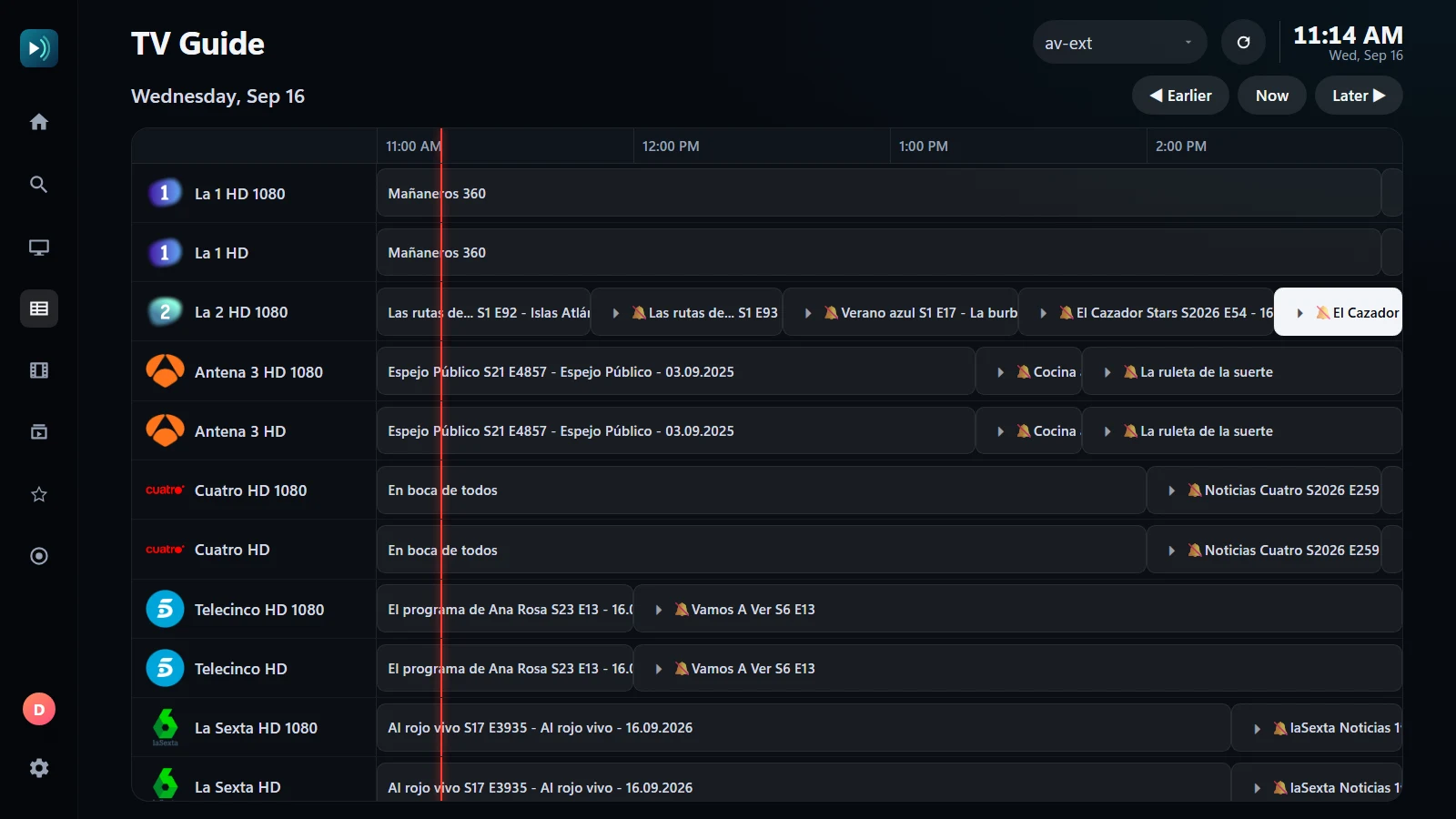
- A programme guide: what is on now and next on every channel, and seven days ahead.
- Categories, channel numbers and zapping up and down, like a television.
- Films and series in their own library, with artwork, episodes by season and "continue watching".
- Signing in with Xtream Codes (server, username and password) instead of hunting for an M3U link.
- Catch-up of past programmes with Xtream Codes logins whose provider keeps an archive, and favourites that stay put.
Move your playlist from VLC in two minutes
- In VLC, the address you opened is under Media › Open Network Stream; copy it.
- Install OndalyTV on Windows or Android TV from ondaly.tv.
- Choose M3U on the first screen and paste the address. If your provider gave you Xtream Codes details, use those instead.
- The channels, the guide and the films and series appear by themselves.
Price
Live TV is free, with no account. Premium unlocks the rest: the yearly plan (7.99 € a year + VAT, first 7 days free) or a lifetime licence (24.99 € once + VAT), on 5 devices with 2 watching at once.
Download OndalyTV
Free player. No channels or content included.